
TLDR
The most reliable format is plain text: 1 Card Name per line.
If you care about exact printings, export with set codes and collector numbers when possible.
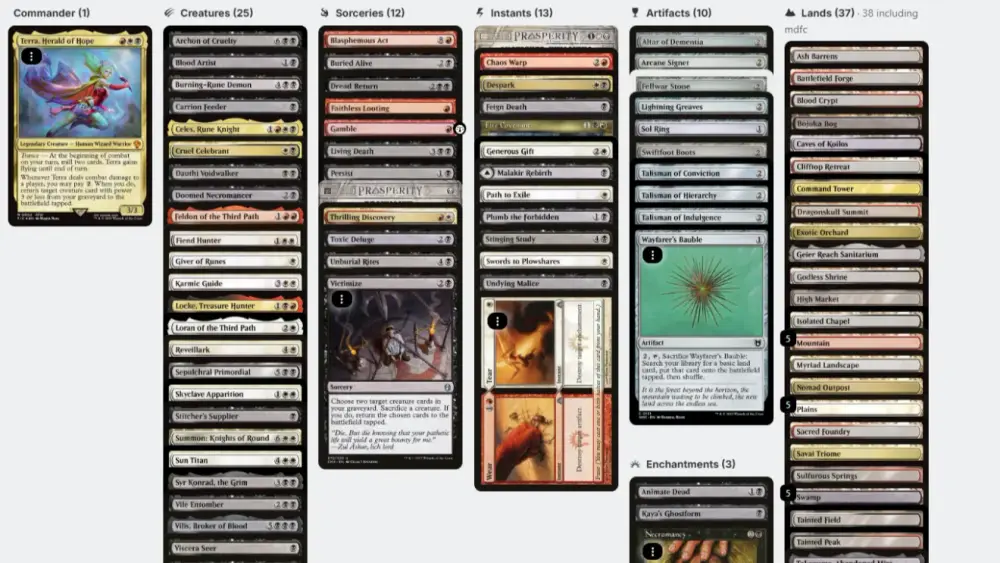
The two usual “why did this fail” culprits are maybeboard/considering cards and extra formatting (headers, notes, weird punctuation).
ProxyMTG parses decklists from most major deck builders and can interpret set codes/IDs + collector numbers, but coverage is still expanding.
If an import fails, you can always type the card name, then click the card to pick the exact variant/printing you want.
You did the fun part already, building the deck. Now you just want MTG decklist imports to work so you can get on with your life.
Sometimes they do. Sometimes your decklist decides it’s going to become performance art, and your importer is forced to politely pretend it’s not.
This post shows you the export options from Moxfield, Archidekt, and TappedOut that tend to import cleanly, plus how to fix the common failure points fast.
MTG decklist imports: what ProxyMTG accepts (and what to do if it fails)
ProxyMTG is built to parse decklists from most major deck builders, including formats that contain set codes/IDs and collector numbers. That means if your list includes details like (M21) 159, we try to interpret them and match the exact printing.
We’re still building out full compatibility across every weird edge-case export format, so if something fails, do not get stuck.
Here’s the “I refuse to waste 30 minutes on this” fallback:
Type the card name into the list.
Click the card.
Choose the exact version/variant you want.
That’s it. The importer does not get to win.
The three export formats that matter (and when to use each)
1) Plain text (best for “just import it”)
This is the universal language of decklists:
If you want the fewest surprises, use this. It is boring in the same way a seatbelt is boring.
2) Arena-style export (best for set codes + collector numbers)
Arena-style lists often look like:
This is great when you want more precise printings, and it still stays fairly structured.
The catch is that “Arena export” can also be restrictive depending on the tool you export from (more on that below).
3) Full metadata export (best for backups, worst for imports)
Some exports include categories, labels, foiling notes, sideboards, maybeboard sections, and extra symbols. That can be useful for backing up your deck, but it increases the odds something gets misread during import.
If your list fails, simplify it. You’re not submitting a tax return.
Exporting from Moxfield without errors
Moxfield generally makes exporting easy, but the option you choose matters.
Recommended method
From your deck’s menu:
Open the Export options.
Use Copy for MTGO when you want the cleanest, most broadly compatible text list.
Use Copy for MTGA only if you specifically need Arena formatting and you’re OK with Arena’s card pool limitations.
The “why are cards missing” problem
If you export “for MTGA,” only cards available on Arena will copy over cleanly. That’s not a bug, it’s the export doing what it was designed to do. If your Commander deck contains cards Arena doesn’t support, they may be omitted.
If you see missing cards after import, re-export using a non-Arena export option (MTGO-style is usually the safest).
Exporting from Archidekt without importing your entire maybeboard
Archidekt is powerful, and also extremely capable of exporting things you did not mean to export.
The most common Archidekt import issue is:
You exported your maybeboard/considering/custom “not in deck” piles along with the main deck.
Recommended method
From your deck’s export options:
Export as Text when you want a broadly compatible list (often includes set codes depending on the format you pick).
Make sure you are exporting only the main deck (not maybeboard or excluded categories, if your export options allow it).
If your export includes extra category headers, labels, or odd symbols, paste it into a plain text editor and strip it down to card lines only.
If you want set codes but not the maybeboard
Some Archidekt export formats preserve set codes but also include maybeboard or “not included” categories. If that happens, the fastest fix is manual cleanup:
Delete every section that is not the main deck.
Delete headings like “Creatures,” “Lands,” and any blank lines that look suspicious.
Keep only quantity + card name lines, optionally with set code and collector number.
It is not elegant, but it is faster than arguing with formatting.
Exporting from TappedOut without errors
TappedOut’s export flow is a little “hidden in plain sight,” but it works.
Recommended method
On your deck page:
Click Download / Export / Embed Code.
In the popup, click MTG Arena and choose Copy to clipboard (this commonly produces a clean list with set codes and collector numbers).
Paste into a plain-text editor once (Notepad, TextEdit) to remove weird formatting, then import.
TappedOut Arena exports often include a tidy structure and the printing identifiers. That’s exactly what you want if you care about variants.
The quick “import failed” fix list (in the order you should try them)
When MTG decklist imports fail, it’s usually one of these. Try these in order, because they are fast and reversible.
1) Paste into a plain-text editor first
Copying from browsers can carry hidden formatting. Paste into Notepad or TextEdit, then copy again from there.
2) Remove everything that is not a card line
Delete:
Section headers (Creatures, Instants, Sideboard, Maybeboard)
Comments after card names
Weird bullets or symbols
Blank lines that look like they’re “doing something”
You want: 1 Card Name per line.
3) If set codes are causing trouble, temporarily remove them
If a line like 1 Card Name (SET) 123 fails, try 1 Card Name.
Once the list imports, you can select variants directly in ProxyMTG by clicking the card.
4) Check for “smart punctuation”
Curly quotes and special characters can break matches, especially on cards with apostrophes. Plain-text paste usually fixes this.
5) Treat sideboards and commanders as separate sections (when needed)
Some exports separate Commander, main deck, and sideboard. If your importer is picky, keep only the main list first, then add commander and sideboard pieces afterward.
If you care about exact printings: set codes and collector numbers are your friend
If your deckbuilder export includes set codes and collector numbers, keep them. They help disambiguate cards with many printings.
That said, you’re never trapped by this.
ProxyMTG’s practical workflow is:
Import whatever you have.
If anything comes through ambiguous, click the card and pick the exact printing you want.
This is faster than trying to pre-solve every variant edge case inside a text file.
https://www.reddit.com/r/MTGProxyCards/comments/1ppyn2z/want_to_give_a_shoutout_to_proxy_king_great/
A small proxy note, because it always comes up
ProxyMTG is for casual play and playtesting where proxies are allowed, not sanctioned events. If you want the lowest-drama experience, use clear, responsible choices like custom backs and readable printings. If you want more detail on what’s allowed (and what we reject), see our Customization Guidelines and our printing overview:
FAQs
What’s the best format for MTG decklist imports?
A plain text list with quantity + card name on each line is the most universally compatible.
Why did my Moxfield export drop cards?
If you used an Arena-specific export, cards not supported on MTG Arena may be omitted. Use a non-Arena export format instead.
Why did Archidekt include cards I’m not playing?
Your export likely included maybeboard/considering piles or custom categories marked “not included.” Re-export with only the main deck, or delete those sections in a plain text editor.
How do I export from TappedOut with set codes?
Use Download / Export / Embed Code, then the MTG Arena option to copy to clipboard. That format commonly includes set codes and collector numbers.
What if my import fails on ProxyMTG?
Type the card name manually, then click the card to select the exact variant/printing you want. We parse many formats (including set codes and collector numbers), but coverage is still expanding.